
Art Model
3D pose & mannequin tool for artists and creators
Create realistic human poses with 3D models and posable drawing mannequins, customizable body types, and clothing. Perfect for figure drawing, character design, illustration, concept art, and storyboarding. Available on iPhone and iPad.

Art Model: Pose tool for artist and creators.
Create human poses with ease using the Art Model app for mobile devices.
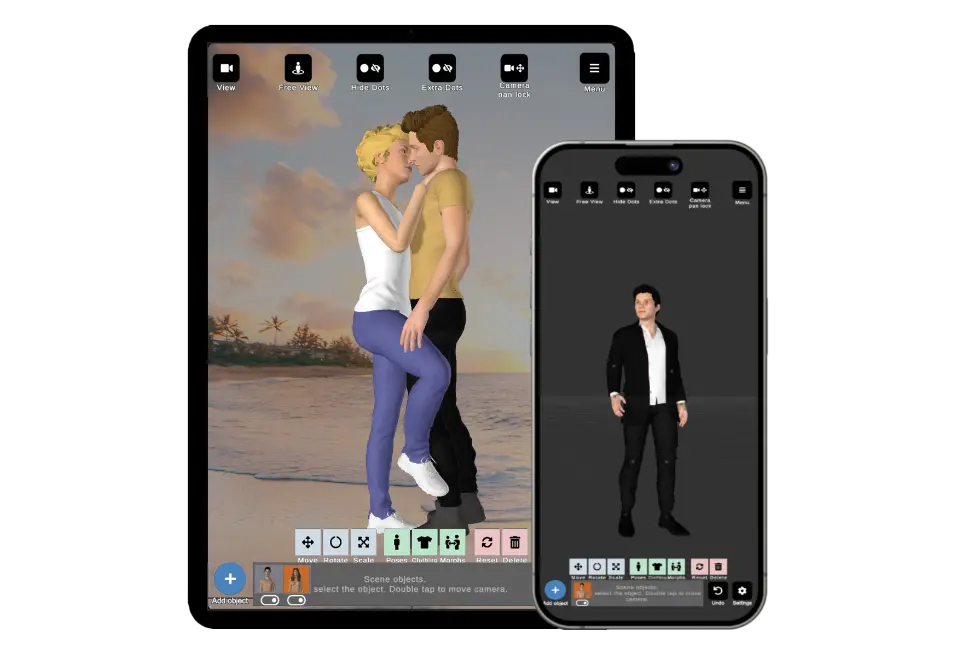
Art Model is an easy-to-use and powerful pose reference app and posable 3D drawing mannequin. Ideal for character design, figure drawing, illustration, comics, storyboarding, concept art, sculpting, fitness instruction, or as a human mannequin and drawing guide. It's perfect for anyone looking to improve their drawing skills.
Models
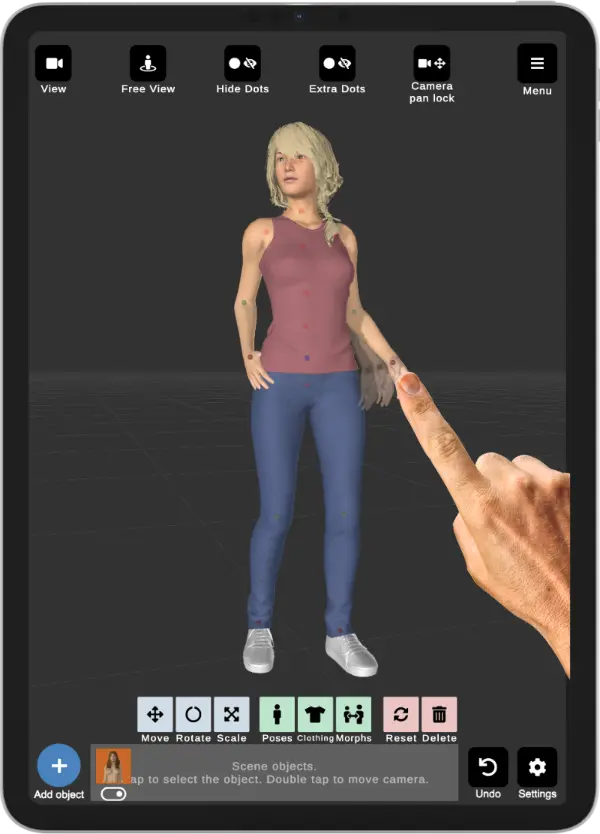
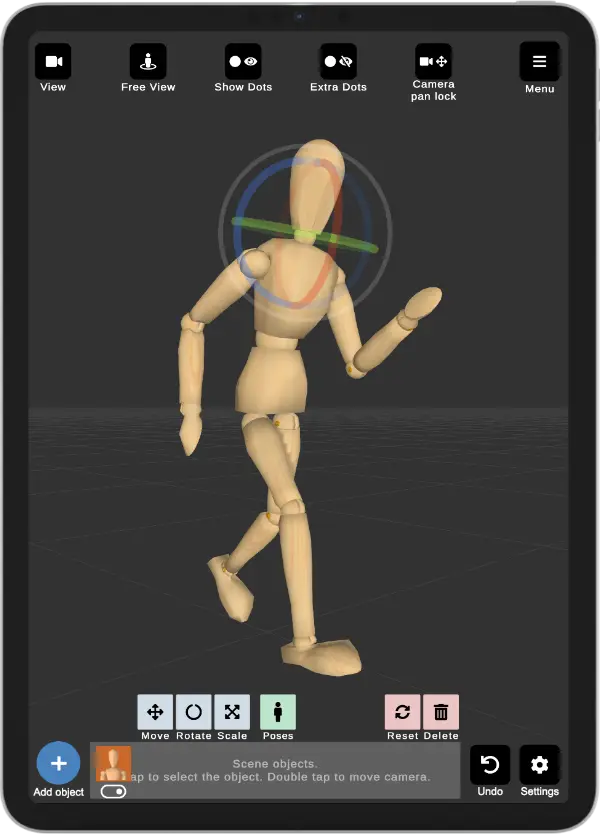
App features a wide range of 3D models, including realistic human figures and traditional wooden mannequins. The human models are fully customizable, allowing you to morph them into various body types, such as fat, pregnant, child, or skinny. With an extensive wardrobe, you can mix and match clothing to create the perfect look for your character. Whether you're an artist, designer, or animator, our app provides versatile tools to bring your creative vision to life.
Posing
Posing is effortless—simply tap a control point and drag the target limb to the desired position with your finger. Achieving the perfect pose has never been easier! The app’s powerful inverse kinematics system allows you to create advanced and realistic poses with minimal effort. It also includes a range of basic preset poses and hand poses to help you get started quickly.

Morphing


Art Model is also a powerful morphing tool, allowing you to create an unlimited range of unique models with ease.
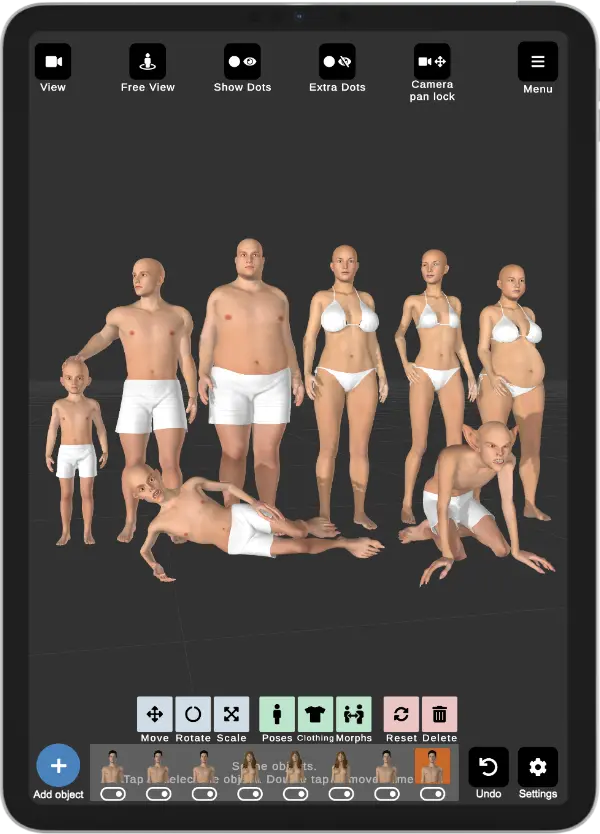
You can transform your model from child to adult, skinny to muscular, or even create variations like fat, pregnant, or fantastical creatures. In addition to full-body morphs, the app allows you to customize individual body parts, such as the chest, arms, and legs, to achieve the precise look you want.
Facial expressions
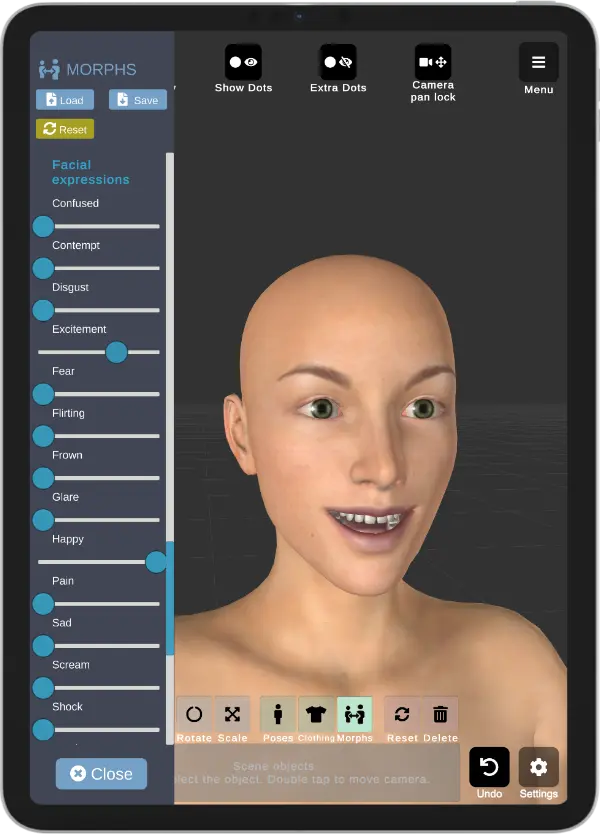
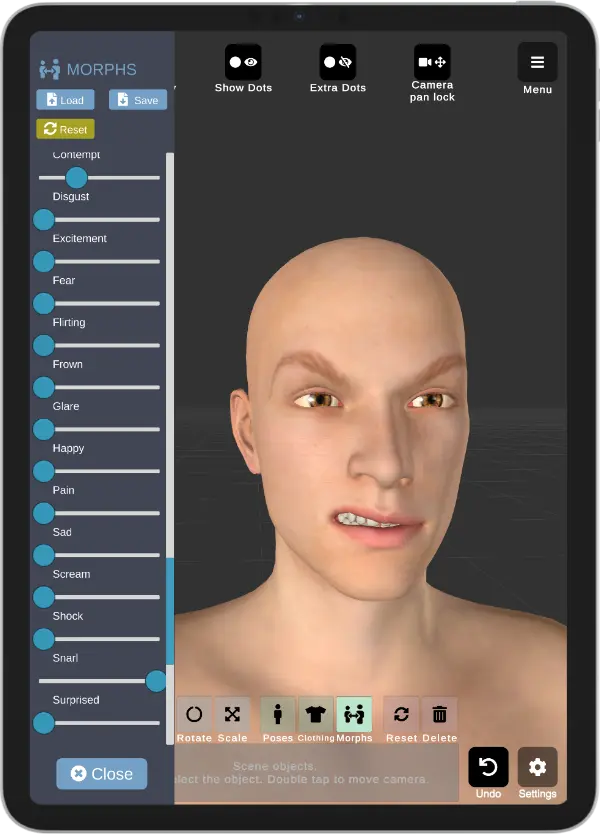
Bring your models to life with facial expression morphs! Elevate your creative projects by seamlessly adjusting your model to reflect emotions such as happiness, anger, surprise, and sadness. Create dynamic characters with authentic, expressive faces.
Props

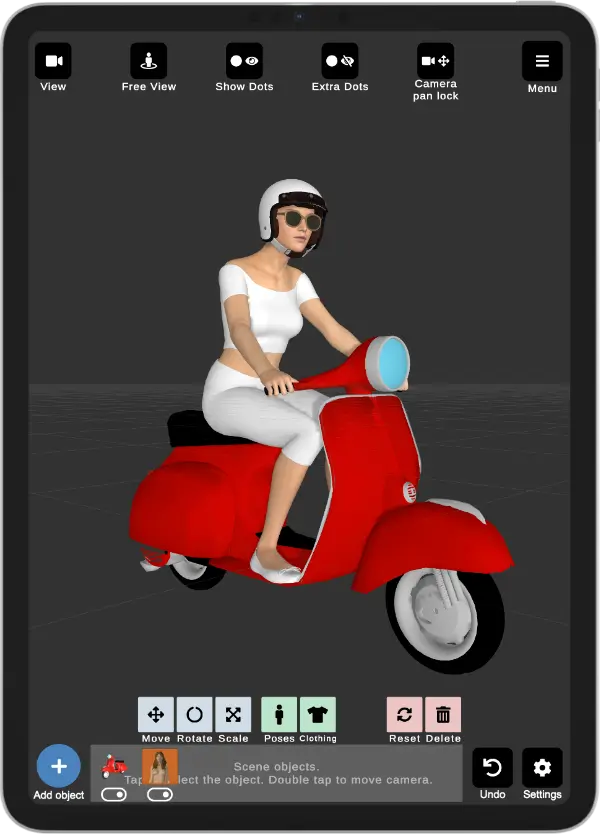
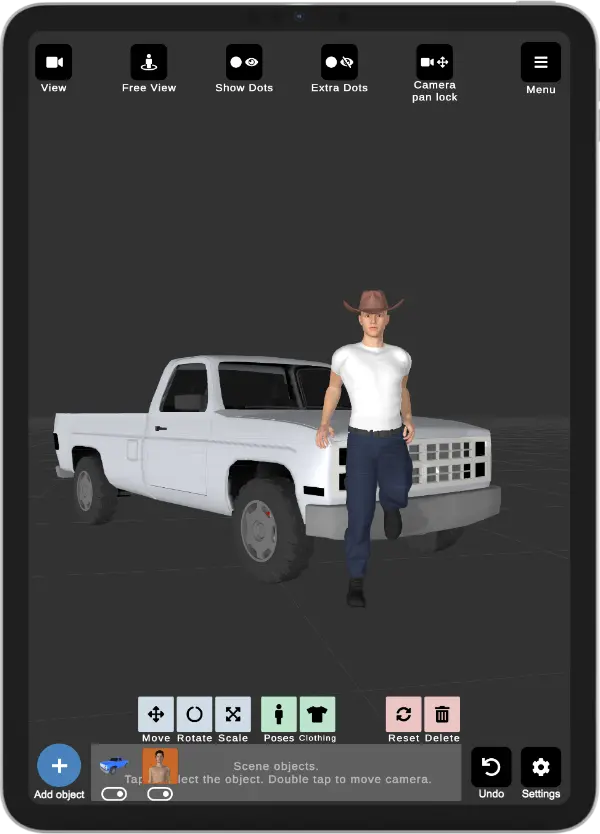
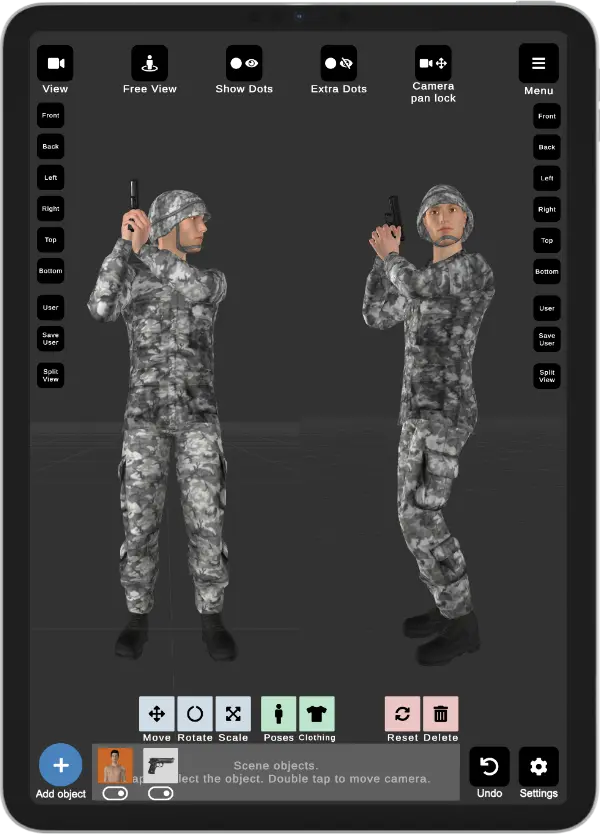
Enrich your scenes with a wide range of props, including vehicles, chairs, tables, weapons, and geometric shapes. You can easily add these items to your scene or attach them directly to your model's hands, with the props following hand movements for dynamic interactions.
Clothing
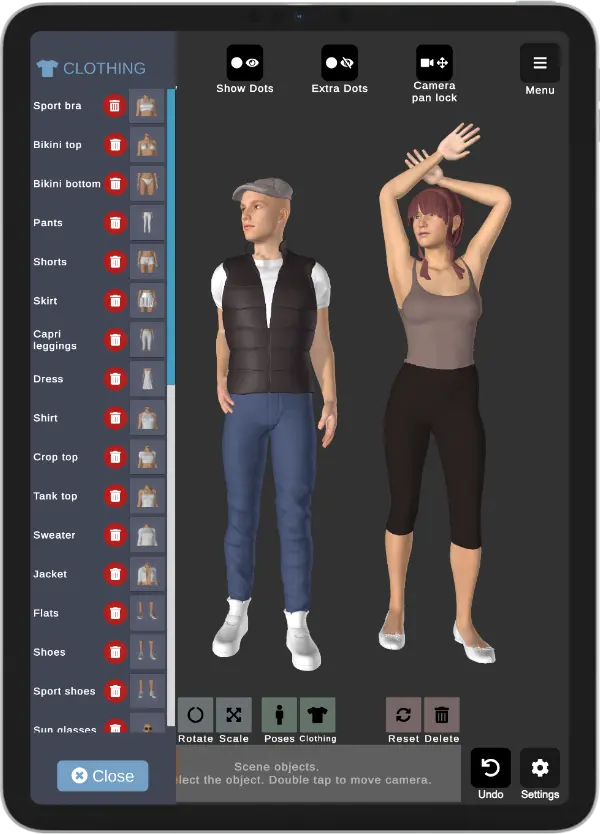
Customize your models with ease by mixing and matching clothing options. The app provides a selection of basic outfits for both female and male models, along with headgear such as helmets and a wide variety of hats. Create unique looks and style your characters to fit any scenario!
Other features
Split view editing
Edit your scenes with precision using the split view feature, which divides the screen in half to show different camera angles simultaneously. This powerful tool is incredibly helpful for fine-tuning poses and ensuring the perfect alignment from multiple perspectives.
Background images
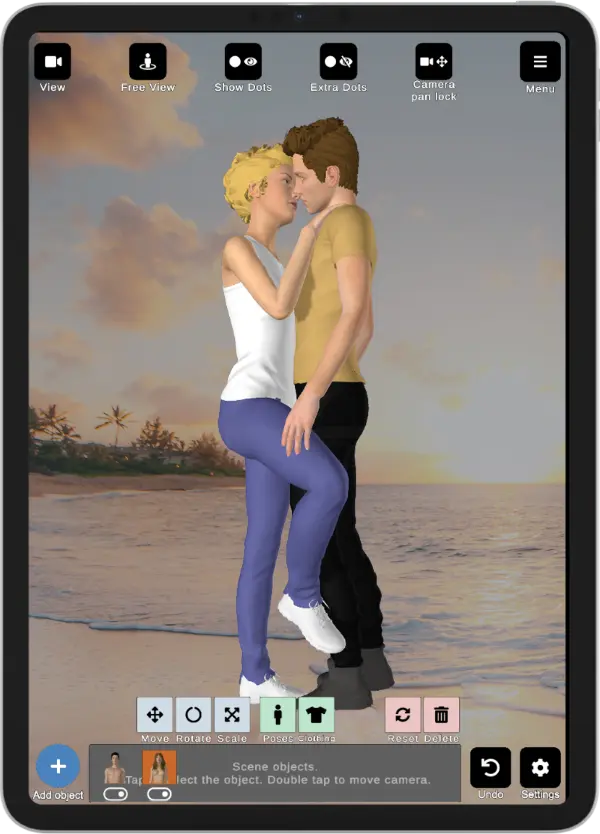
Enhance your artistic creations by importing background images directly into the app. This feature allows you to set up realistic or imaginative environments for your models, providing context and depth. By incorporating background images, you can better visualize your characters in their intended settings, making it easier to achieve accurate poses and compositions.
Preview video
Watch our preview video to see the app in action and discover how its powerful features can elevate your creative projects!
Frequently Asked Questions
What is Art Model?
Art Model is a 3D pose and mannequin reference app for artists. You can pose a realistic, fully customizable human figure — or a classic wooden drawing mannequin — from any angle and use it as reference for figure drawing, character design, illustration and concept art.
Can I use Art Model as a drawing mannequin?
Yes. Art Model includes posable 3D mannequins, including a traditional wooden artist's mannequin and realistic human figures. Pose the limbs by dragging control points, rotate to any angle, and use it as a drawing mannequin reference for hands, the full body, or individual poses.
What can I use Art Model for?
Art Model is a pose tool for figure drawing, character design, illustration, comics, storyboarding, concept art, sculpting and anatomy study. Artists, designers and animators use it as a posable human reference whenever they need an accurate body or hand pose.
What devices does Art Model run on?
Art Model is available on the App Store for iPhone and iPad.
Can I change the body type of the model?
Yes. Art Model uses a powerful morphing system so you can reshape the figure into different body types — such as muscular, heavier, pregnant, child or slim — and add clothing, props and facial expressions to match the character you are drawing.