

Peek icon
Unity Editor Tool Asset Preview

Peek

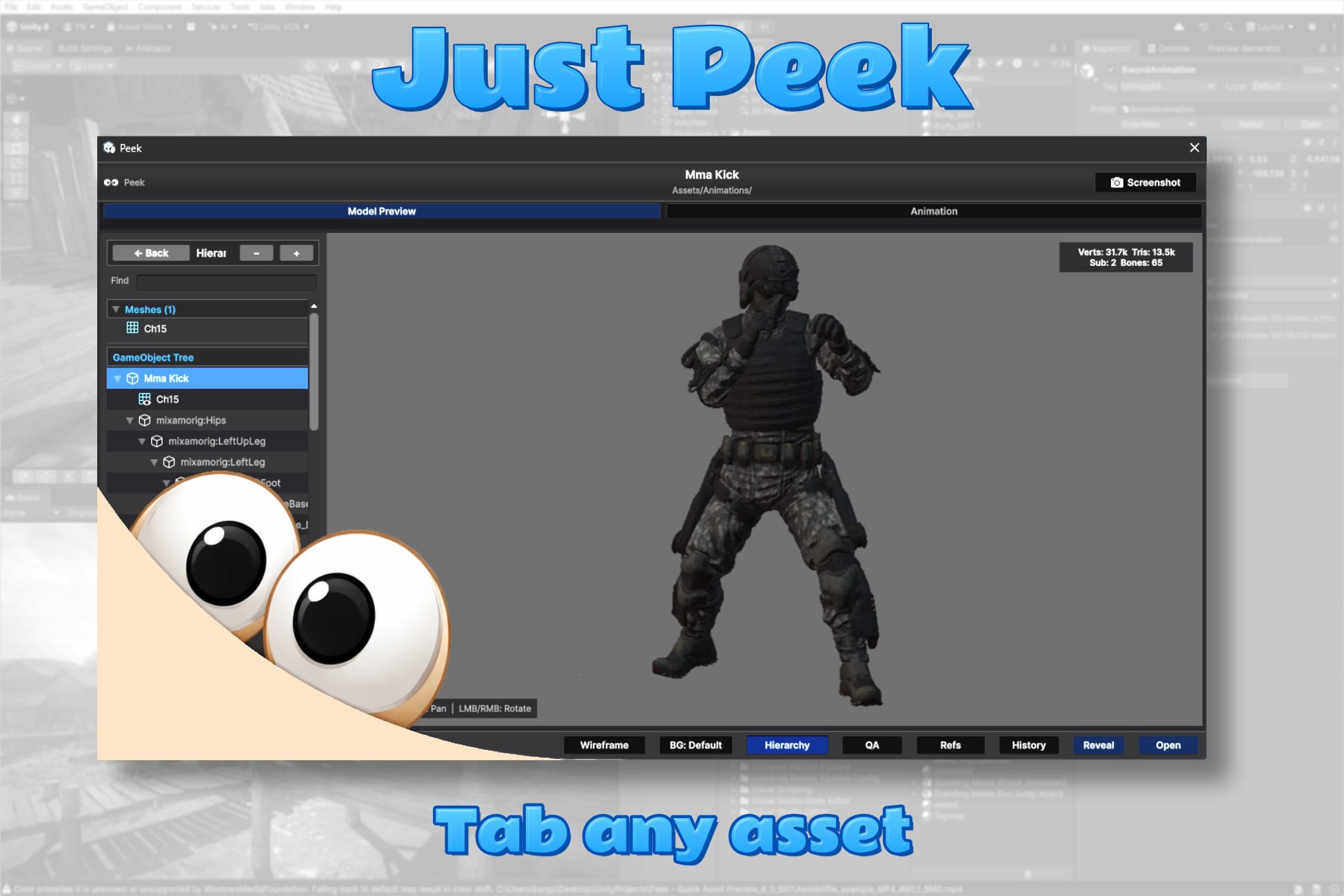
A floating, keyboard-triggered asset preview for the Unity Project window. Select anything, press Tab, and get an instant, type-aware preview — without breaking your flow.

Peek asset preview window open over the Unity Editor
Walkthrough

See it in action.

Peek walkthrough video thumbnail

Peek walkthrough — watch on YouTube

How it works

One key. Any asset.

Peek lives in the Project window. Tap a key on whatever is selected and a polished preview pops open — tuned to that asset's type, with the controls that actually fit it. No double-clicks, no inspector hunting.

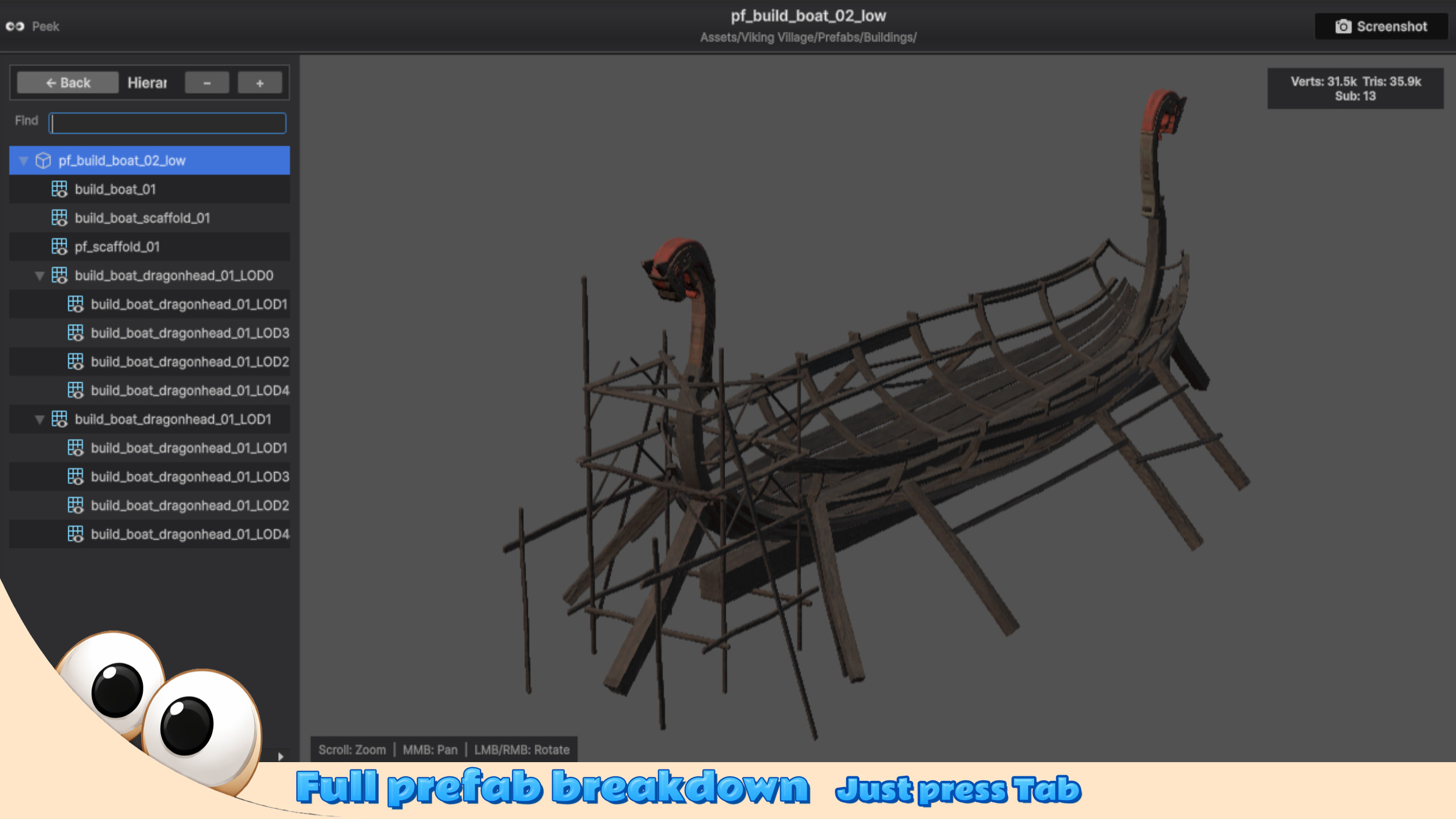
Peek showing a prefab breakdown with its full GameObject hierarchy Instant preview
Workflow 01 · One keystroke

Press Tab. Peek appears.

Select any asset in the Project window and tap a single key. Peek opens centered on the editor, with a preview already tuned to what you picked — a model, a texture, a clip, a script.

Pin it to keep it open while you browse, or let it follow your selection. The same key closes it again.
Rebindable hotkey Pin or follow Preview history
Workflow 02 · Type-aware

A preview built for each asset.

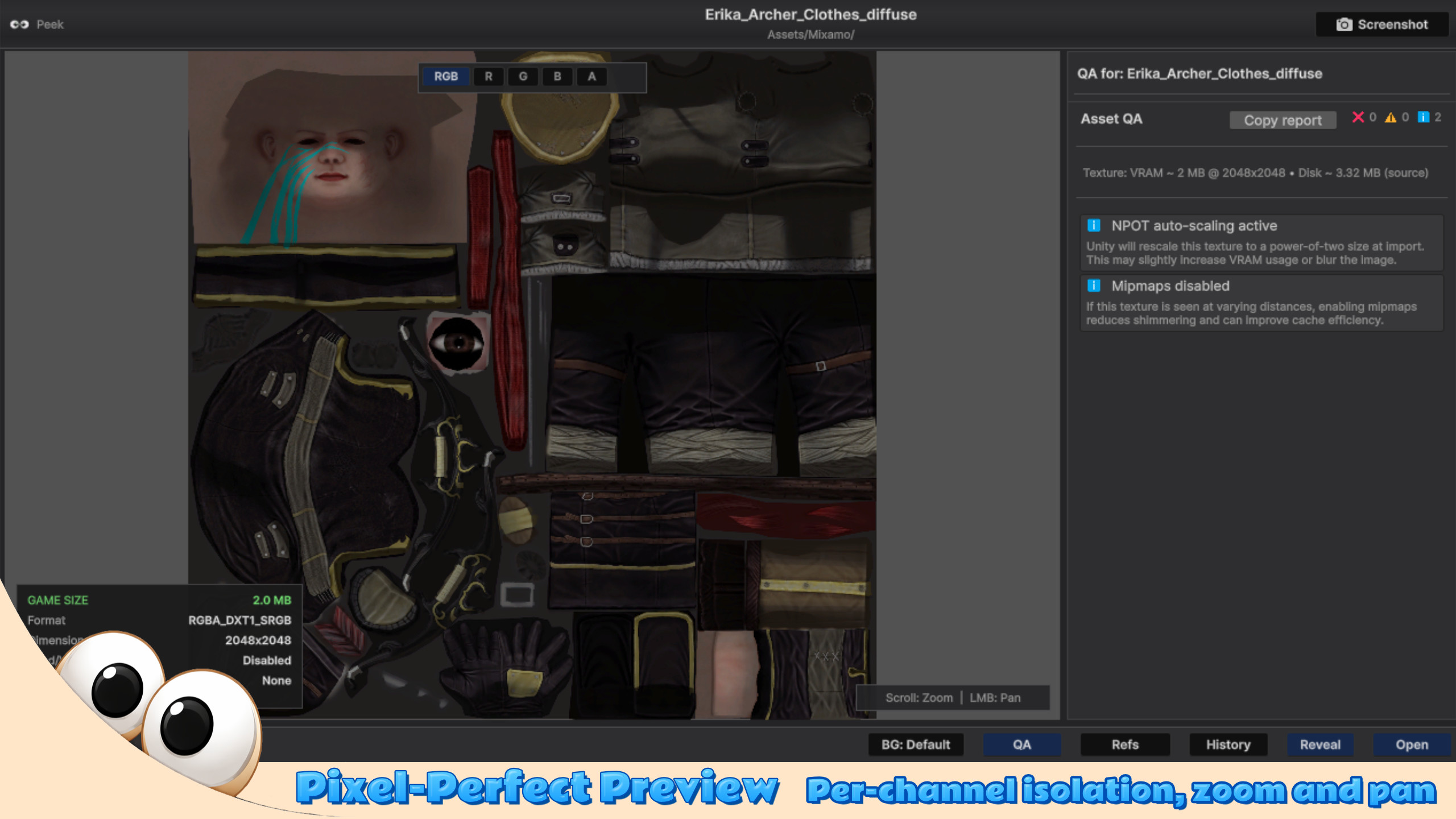
Textures get pixel-perfect zoom, pan and R/G/B/A channel isolation. Models get an interactive turntable with vert, tri and bone counts plus a full hierarchy tree. Animations scrub and play; audio shows a waveform; code is syntax-highlighted.

Peek detects the type the moment it loads and switches rendering automatically — eleven asset categories, each with its own controls.

Channel isolation Mesh stats Syntax highlight
Peek previewing a texture with per-channel isolation and an import readout Type-aware rendering
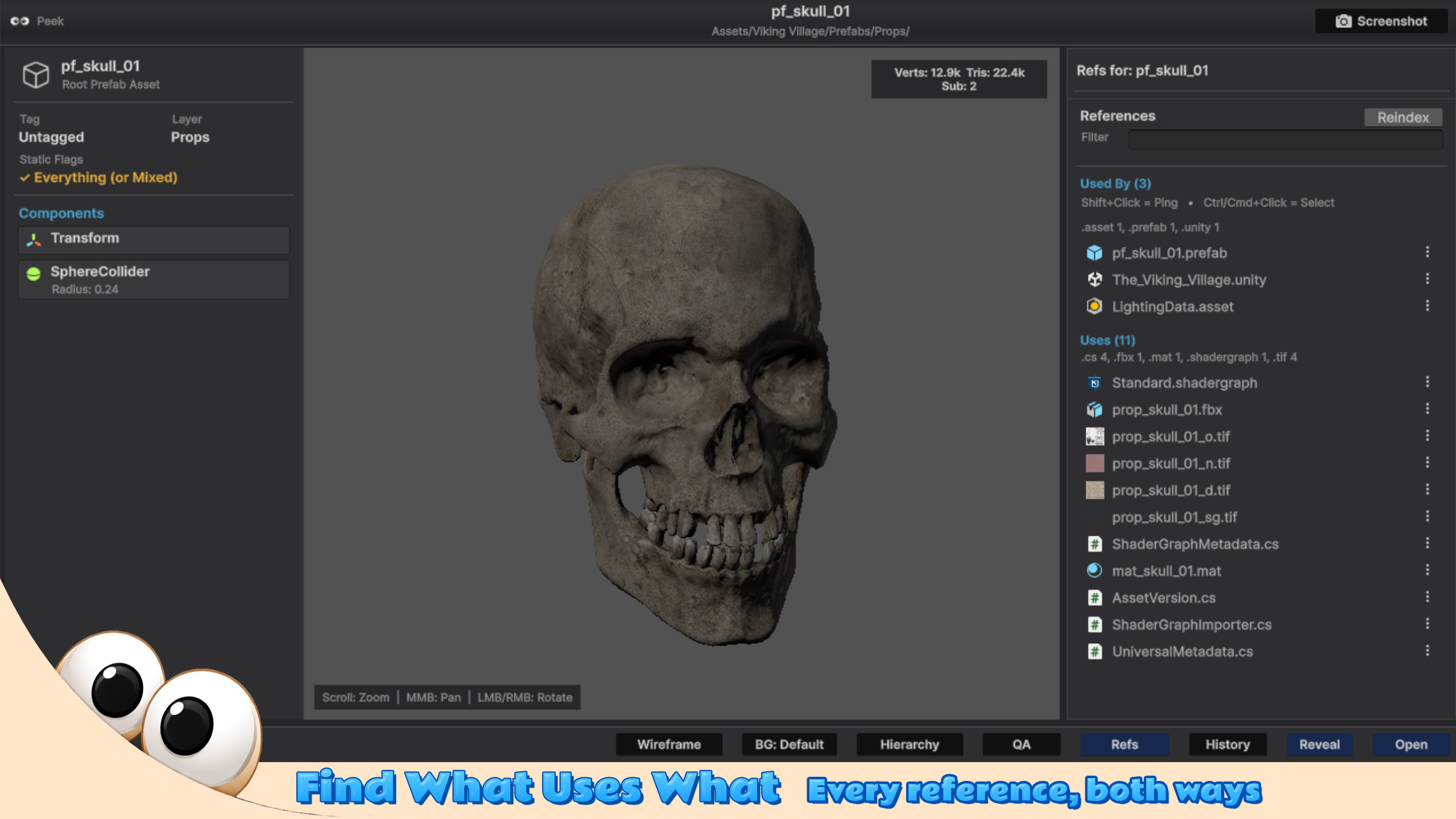
Peek references panel listing what uses an asset and what it uses References & QA
Workflow 03 · Dependencies & QA

Trace references. Catch problems.

The Refs panel shows the dependency graph both ways — what an asset uses, and every asset that uses it — with click-to-ping and click-to-select straight into the Project window.

The QA panel runs lint-style import checks per type: read/write flags, NPOT scaling, missing materials, uncompressed textures, mono audio and more — each flagged by severity.

Used-by & uses Asset QA Click to ping
Every asset type

One window, eleven previews.

Peek doesn't just show a thumbnail. Each asset type gets a real, interactive preview with the controls and read-outs that matter for it.

Textures & sprites

Pixel-perfect zoom and pan, per-channel R/G/B/A isolation, and a live format, dimension and VRAM read-out.

3D models & prefabs

Interactive turntable with orbit, pan and zoom, vert / tri / bone counts, and the full GameObject hierarchy tree.

Wireframe & mesh debug

Wireframe, normals, tangents and UV-checker overlays, with five saveable camera presets for repeat angles.

Animations

Play, scrub and set speed on clips and rigged models, with a root-motion toggle for in-place review.

Audio

Waveform view with play and stop, straight from the Project window — no need to drag clips into a scene.

Video

Inline VideoClip playback rendered into the window, with a play / pause control bar and a scrubber.

Code & text

Syntax-highlighted C#, shaders and JSON in a fast virtualized viewer that handles big files smoothly.

ScriptableObjects

A clean serialized property tree for your data assets, so you can read their contents at a glance.

Fonts & materials

Multi-size font specimens, plus live material previews with a full property sidebar and shader info.

References & dependencies

A bidirectional dependency graph — what uses this, and what this uses — with click-to-ping and select.

Asset QA

Lint-style import checks per asset type, flagged by severity, so you catch build-size and runtime risks early.

Compare & export

Two-up compare with a per-pixel texture diff, plus one-click screenshots and transparent-PNG export.

Screens

Every preview, up close.

Click any screen to open the full-resolution capture.

Peek icon

Peek

Unity Editor extension · Quick Asset Preview · v1.0

Editor-only — no runtime footprint ships in your build. Drop it in, press a key, and start previewing.

Trigger
Tab

A fully rebindable hotkey set in Preferences.

Preview types
11

Each with its own interactive preview mode.

Footprint
Editor-only

No runtime component ships with your build.

Unity
2022 LTS +

Tested through Unity 6, Built-in & URP.