Texture Alchemist icon
Unity Editor Tool Texture & PBR

Texture Alchemist

A full-featured image editor that lives inside the Unity Editor. Paint, transform, filter and procedurally generate textures — without ever leaving Unity.

Texture Alchemist editor window inside Unity — painting on a texture
Walkthrough

See it in action.

Texture Alchemist walkthrough video thumbnail

Texture Alchemist walkthrough — watch on YouTube

Three tools in one

One window replaces three.

A full image editor, a PBR map generator, and a channel & atlas packer — together in a single Unity window, with no Photoshop round-trips. Everything previews live and stays non-destructive until you hit Apply.

Painting and color-grading a texture inside Unity Full image editor
Tool 01 · Image editor

Paint & color-grade, in-editor.

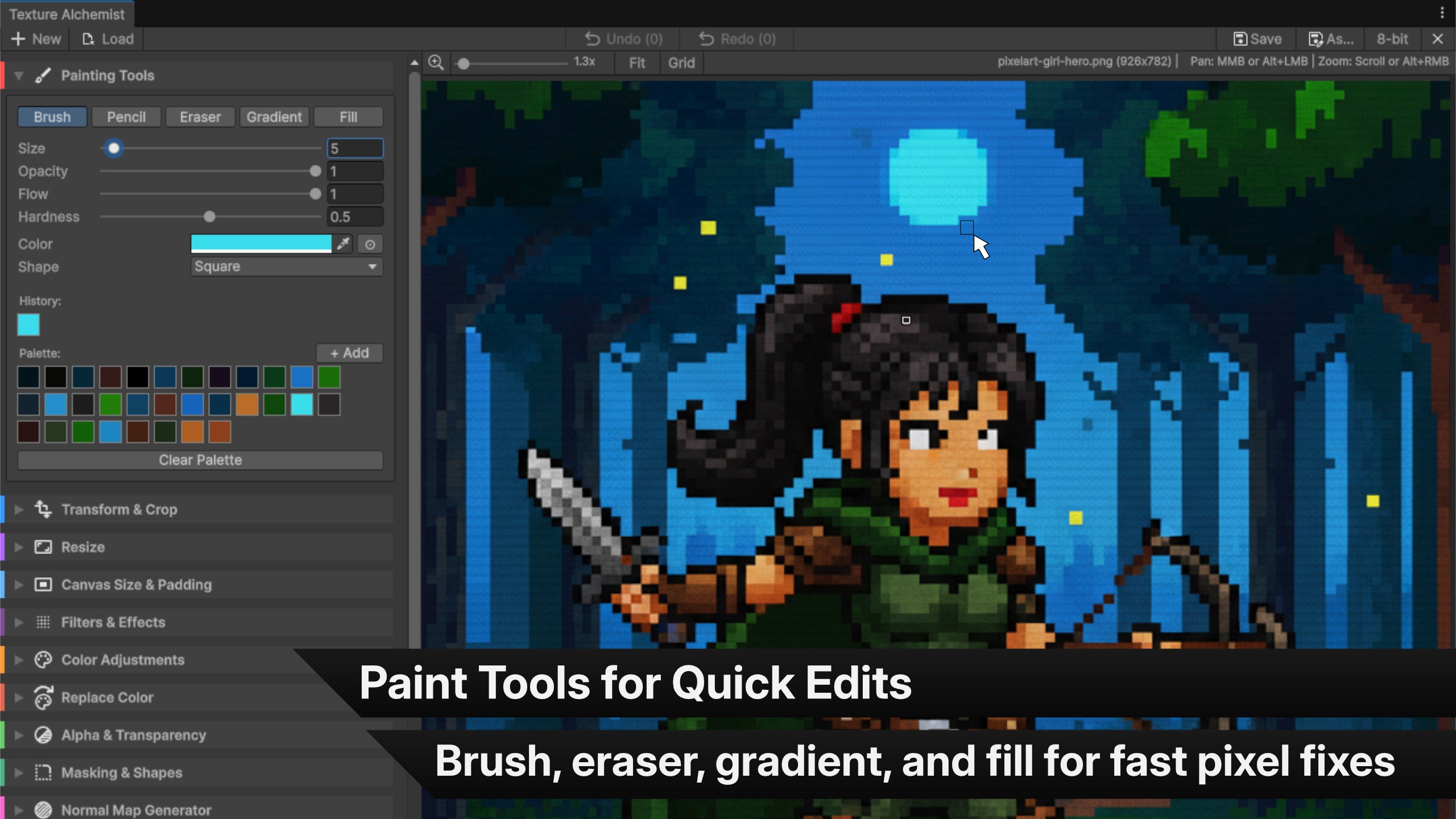
A complete painting suite — brush, pencil, eraser, eyedropper, gradients and a fill bucket — plus levels, hue/saturation and tone-curve color grading.

Every stroke and adjustment previews live and stays reversible, with a 50-step undo history, until you commit.
Brush & pencil Gradient & fill Color grading
Tool 02 · PBR generator

Generate PBR maps in place.

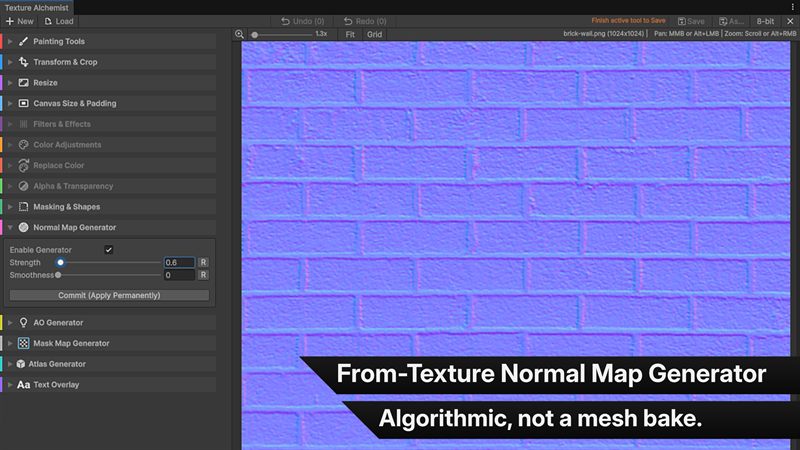
Bake normal maps, ambient occlusion and HDRP-ready mask maps straight from your source texture — each with a live preview before you write a file.

An optional GPU path renders at full resolution so the preview matches the result exactly, and falls back to multi-core CPU automatically.

Normal map Ambient occlusion Mask map
Generating a normal map from a source texture PBR map generation
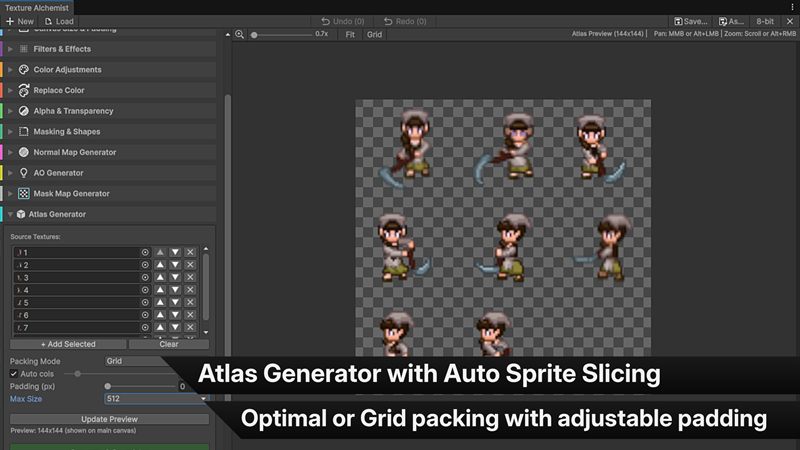
Packing multiple textures into an atlas Channel & atlas packer
Tool 03 · Packer

Pack atlases & channels in one pass.

Build texture atlases and sprite sheets with Optimal or Grid packing, and full sprite metadata written for you — names preserved, pivots centered.

Pack up to four textures into RGBA channels for HDRP mask maps, with per-channel invert and fallback constants.

Optimal & grid Sprite metadata Channel packing
The full toolset

Everything in one window.

From the first brush stroke to a packed, exported texture — the whole pipeline, without switching apps.

Painting suite

Brush, pencil, eraser, eyedropper, linear & radial gradients and a tolerance fill bucket — with a custom palette and one-click palette extraction.

Color grading

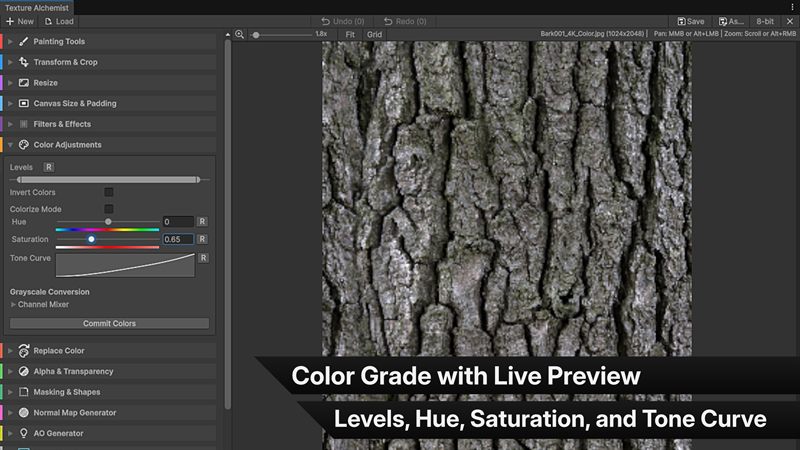
Levels, hue, saturation and tone curve, invert and colorize, plus grayscale with a full channel mixer — all non-destructive.

Normal & AO maps

Generate normal maps and height-based ambient occlusion from any texture, with a live preview and an optional GPU path that falls back to CPU.

Channel packer

Pack up to four textures into RGBA — HDRP mask maps (metallic, occlusion, detail, smoothness) with per-channel invert and fallback constants.

Atlas generator

Optimal or grid packing into a single atlas, with automatic sprite-sheet metadata, padding control and output up to 8192 px.

Text overlay

Stamp text onto textures with any system TTF/OTF font — drag to move, ring handles to rotate, with sharpness and color control.

Filters

Gaussian blur, unsharp-mask sharpen, mono or per-channel noise, and a procedural Perlin clouds generator.

Transform & resize

Crop with ratio presets, 90° rotate, flip, resize with power-of-two presets, and canvas padding with auto POT expansion.

Alpha & masking

Color-to-alpha chroma key with feathering, rounded-rect or circular masks, replace color, force opaque and an alpha-channel view.

Screens

Every tool, up close.

Click any screen to open the full-resolution capture.

Texture Alchemist icon

Texture Alchemist

Unity Editor extension · v1.0

Editor-only — no runtime footprint. Read/Write and uncompressed import are configured for you automatically when a texture is opened.

Max resolution
16,384 px

Up to Unity's hard texture limit, square or rectangular.

Bit depth
8 & 16-bit

8-bit saves as PNG; 16-bit half-float saves as EXR.

Undo history
50 steps

Or up to 512 MB of RAM, whichever comes first.

Footprint
Editor-only

No runtime component ships with your build.