
The drawing mannequin is one of the oldest tools in an artist's kit — that little jointed figure that helps you nail a pose before you commit to the page. Today there are two kinds: the classic wooden model on your desk, and the posable 3D mannequin in your pocket. This guide explains what a drawing mannequin is, how to actually use one to draw better figures, and when a 3D mannequin like the Art Model app beats the wooden original.
What Is a Drawing Mannequin?
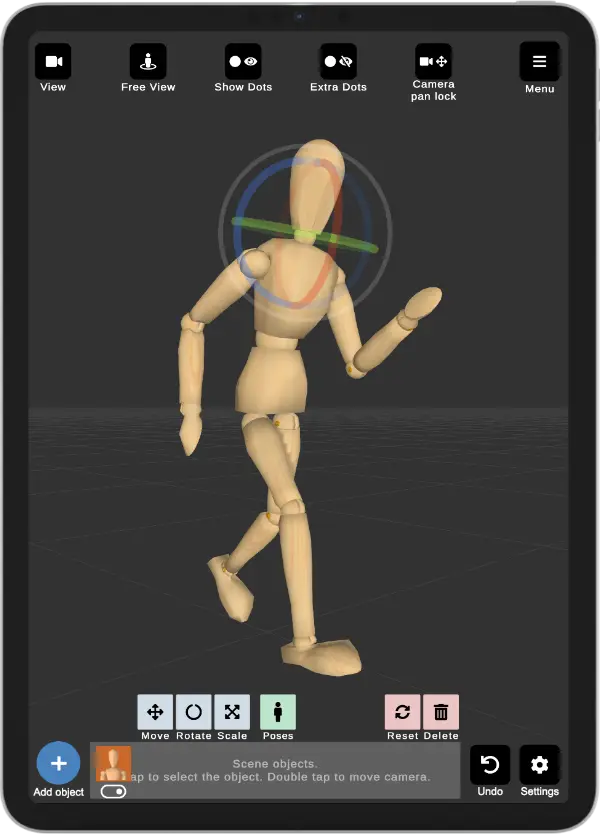
A drawing mannequin is a posable model of the human figure that artists use as reference for proportion, balance and pose — instead of guessing, or scrolling endlessly for a photo that doesn't quite match. The classic version is the wooden artist's mannequin: a simplified, jointed wooden figure that has sat on artists' desks for centuries. Its whole job is to let you see a believable pose in three dimensions and draw from it.
Why Artists Use a Mannequin
A good mannequin does a few quiet but important things:
Keeps proportions and balance believable — the figure actually stands up under gravity.
Lets you see the pose from any angle, so you can pick the most readable one.
Helps with foreshortening — how limbs overlap and shorten as they point toward or away from you.
Gives you a consistent reference that never gets tired, unlike a live model holding a pose.
How to Use a Drawing Mannequin, Step by Step
Decide the gesture. Picture the line of action — the big sweep of the pose — before anything else.

Pose the mannequin. On a wooden one you bend the joints by hand; on a 3D one you tap and drag the control points to move each limb into place.
Find the best angle. Rotate the figure (or the camera) until the pose reads clearly and the silhouette is strong.
Block in the big shapes first. Draw the gesture line and the main masses from the mannequin — not the details.
Check, then build on top. Compare your proportions to the mannequin, then add your own anatomy, clothing and character.
Wooden Mannequin vs 3D Mannequin: Which Should You Use?
The wooden mannequin is tactile, always on your desk, and needs no battery. But it's limited: stiff joints, no real hands or face, and a single fixed body shape. It's wonderful for quick gesture practice, less so for a specific pose.
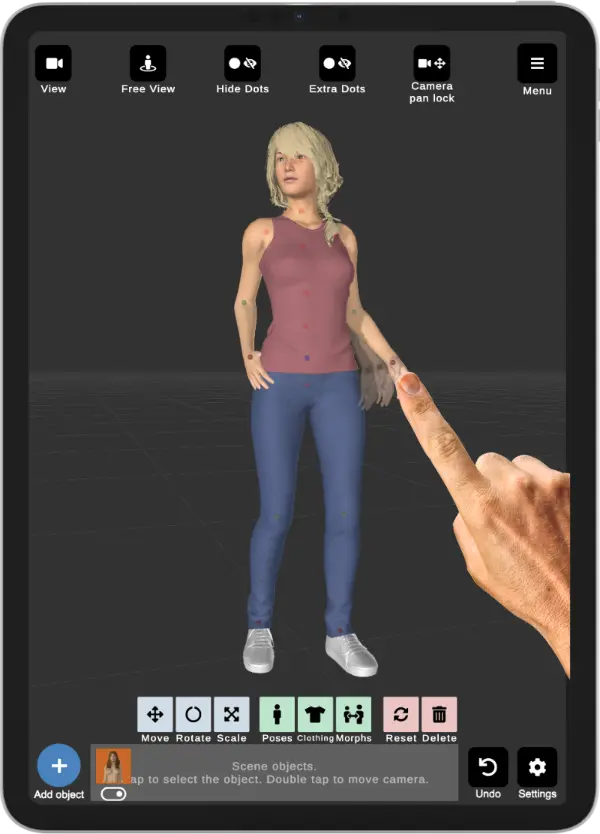
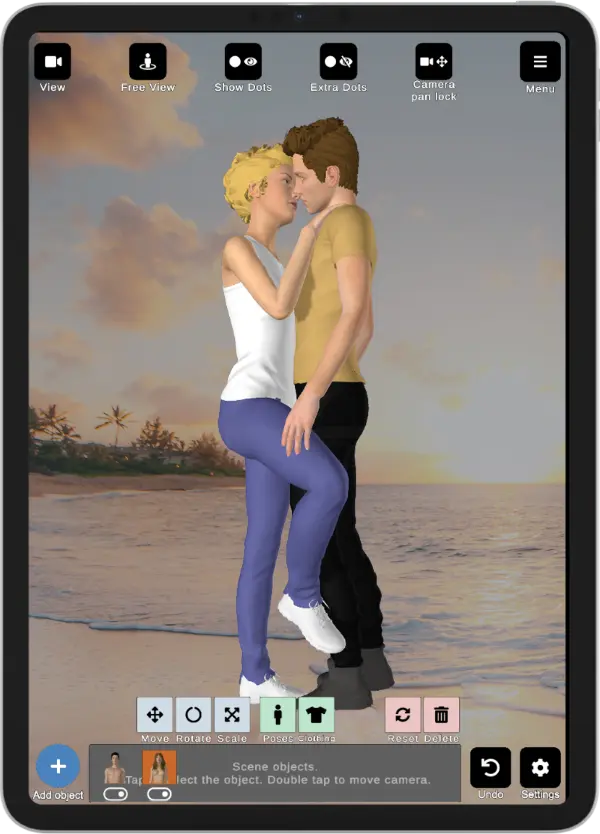
A 3D mannequin (an app like Art Model) removes those limits. You can pose every joint — including the hands — rotate to any angle, change the body type, add clothing, place several figures in a scene, and control the camera. When you need a particular pose, angle, hand position or body type, the 3D version wins.
The honest answer: the wooden figure is a lovely classic for loosening up, and a 3D mannequin is the workhorse when you need precision and flexibility. Many artists use both.
What a 3D Mannequin Adds Beyond the Wooden Figure
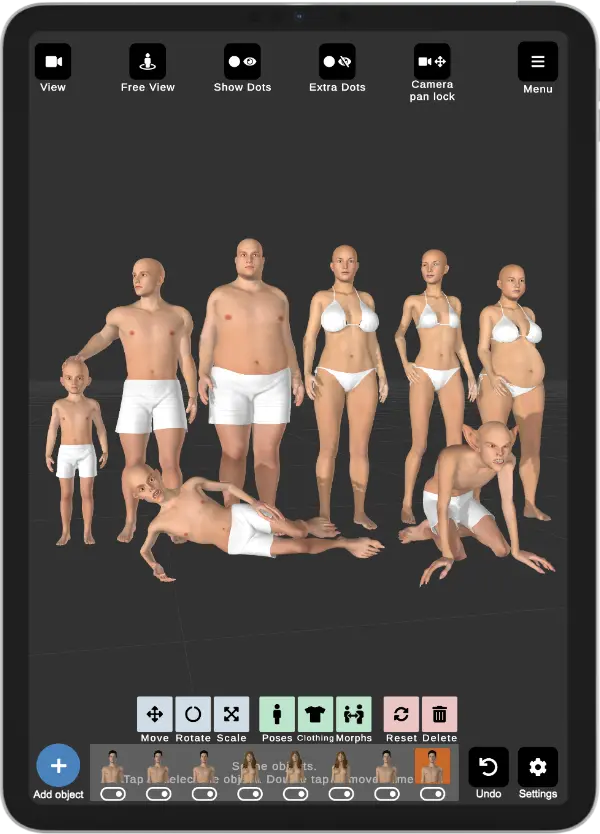
The wooden classic can't do these, and they're exactly where a 3D mannequin earns its place:
Different body types and ages from a single model — reshape it with morphs instead of buying a shelf of figures.
Posable hands and facial expressions — the parts a wooden mannequin simply doesn't have.
Multiple figures interacting, and a reference background behind them for scene composition.
Try a 3D Drawing Mannequin on Your Phone
Art Model is a 3D drawing mannequin app for iPhone and iPad. It includes the classic wooden mannequin and realistic, fully posable human figures. Drag the control points to pose any joint, rotate to any angle, morph the body type, add clothing, pose the hands, and drop in a reference background — the digital version of the tool that's been on artists' desks for centuries, except it fits in your pocket.
The Takeaway
Wooden or 3D, a drawing mannequin is about one thing: getting the pose right before you commit. The wooden figure is timeless and great for loosening up; a 3D mannequin gives you the angles, hands, body types and scenes the wooden one never could. Use whichever gets you drawing — and reach for the 3D one when the pose really matters.